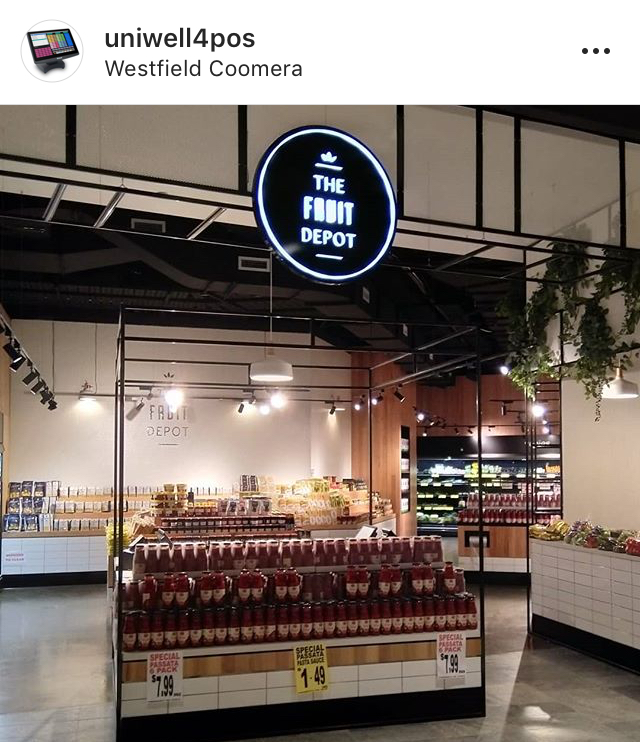
Now featured on our Recent Installs page – a Uniwell Lynx install at this beautiful, fresh food retailer.
Check out the page https://lynxsoft.net/recent-installs/ to look at some of the latest Uniwell Lynx installs.
Now featured on our Recent Installs page – a Uniwell Lynx install at this beautiful, fresh food retailer.
Check out the page https://lynxsoft.net/recent-installs/ to look at some of the latest Uniwell Lynx installs.
We have been advised by the company that hosts our electronic licence activation server that they have recently enforced some security updates that may impact the activation and deactivation of electronic licences from older operating systems.
“Industry standards now require increased security in encryption protocols to keep data safe. We are legally-obligated to comply with these increased security requirements, and doing so requires changes to our hosting infrastructure.”
What Operating Systems are Affected?
Effectively immediately TLS 1.0 is no longer supported for secure connections to their licensing servers. Secure access to their licensing servers is only possible from systems that support TLS 1.1 or TLS 1.2.
Here is a summary of the new operating system requirements:
For operating systems that do not support TLS 1.1 or TLS 1.2 the activation/deactivation processes may fall-back to a less secure connection method. However, if this fails the only solution will be to update the operating system to one that is supported.
Note: This change only affects activations and deactivations. Licences that were activated prior to this change will continue to function normally.
As part of their ongoing development, Uniwell Corporation release firmware upgrades for their AX/HX series POS terminals from time to time. These firmware upgrades include new features and/or fixes for known issues.
Your authorised Uniwell dealer can advise you about the firmware upgrades available for your system. However, it is important to check that firmware upgrades are compatible with the version of Uniwell Lynx you are using BEFORE upgrading. To assist with this we have added a firmware compatibility chart to the Supported POS Terminals page of our web site.
All Uniwell Lynx Licence Status pages have now been updated. Follow the instructions below to find out if you are entitled to a free upgrade to Version 9.
If you are entitled then contact your Uniwell Lynx Reseller to obtain your Version 9 licence. If not, then visit our Upgrades pages to find out more about the advantages of upgrading to Version 9.

We are pleased to announce the release of Version 9!
What’s New in Version 9?
One of the keys to a successful retail business is in-depth sales analysis so you know what you are doing well and where you can improve. The sales analysis reports in Uniwell Lynx have been designed to help you do exactly that. Consider some of the new reports that will be included in Version 9 …
The Daily Sales Report has been replaced by a new Period Sales Report with Daily/Weekly/Monthly options. These reports provide a way to quickly analyse sales trends over time and the optional charts make it easy to visualise the trends.

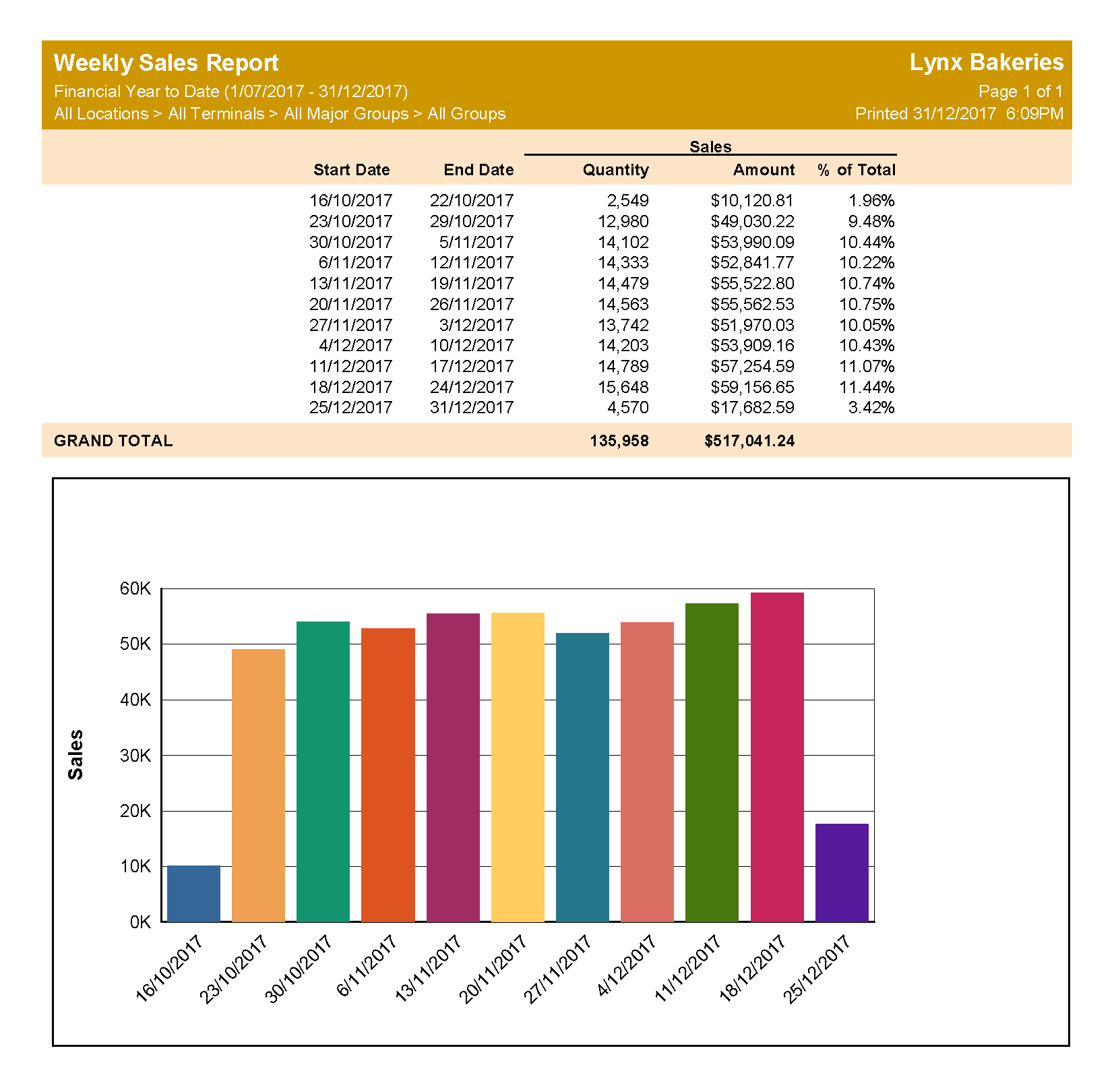
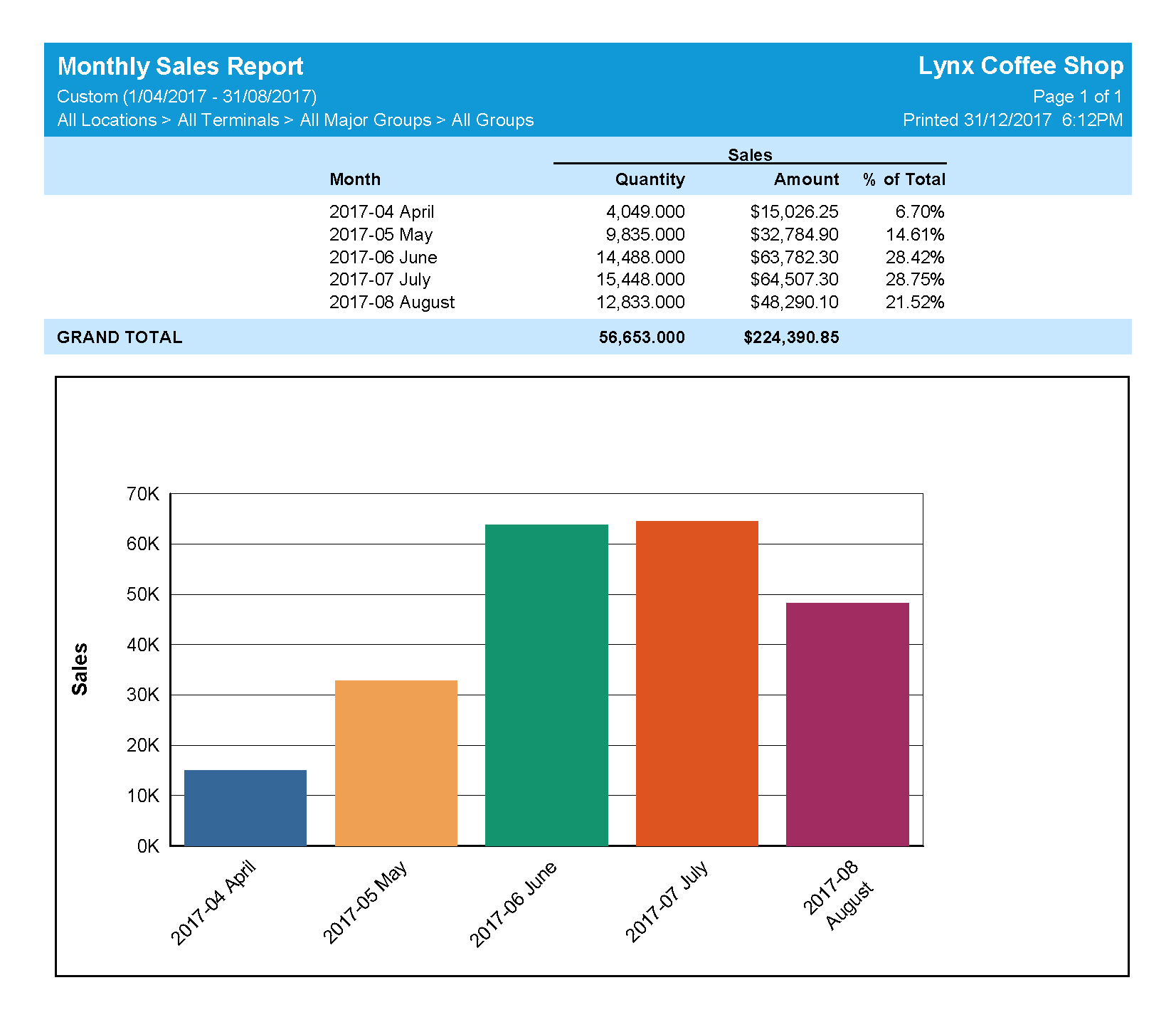
These new reports allow you to compare sales of particular items across 7 days, 7 Weeks, 7 Days of Week or 7 Months. Sales quantities, sales amounts or both can be shown on these reports and the summarise report option can be used to get an overview by supplier, location, POS terminal, group or price level.

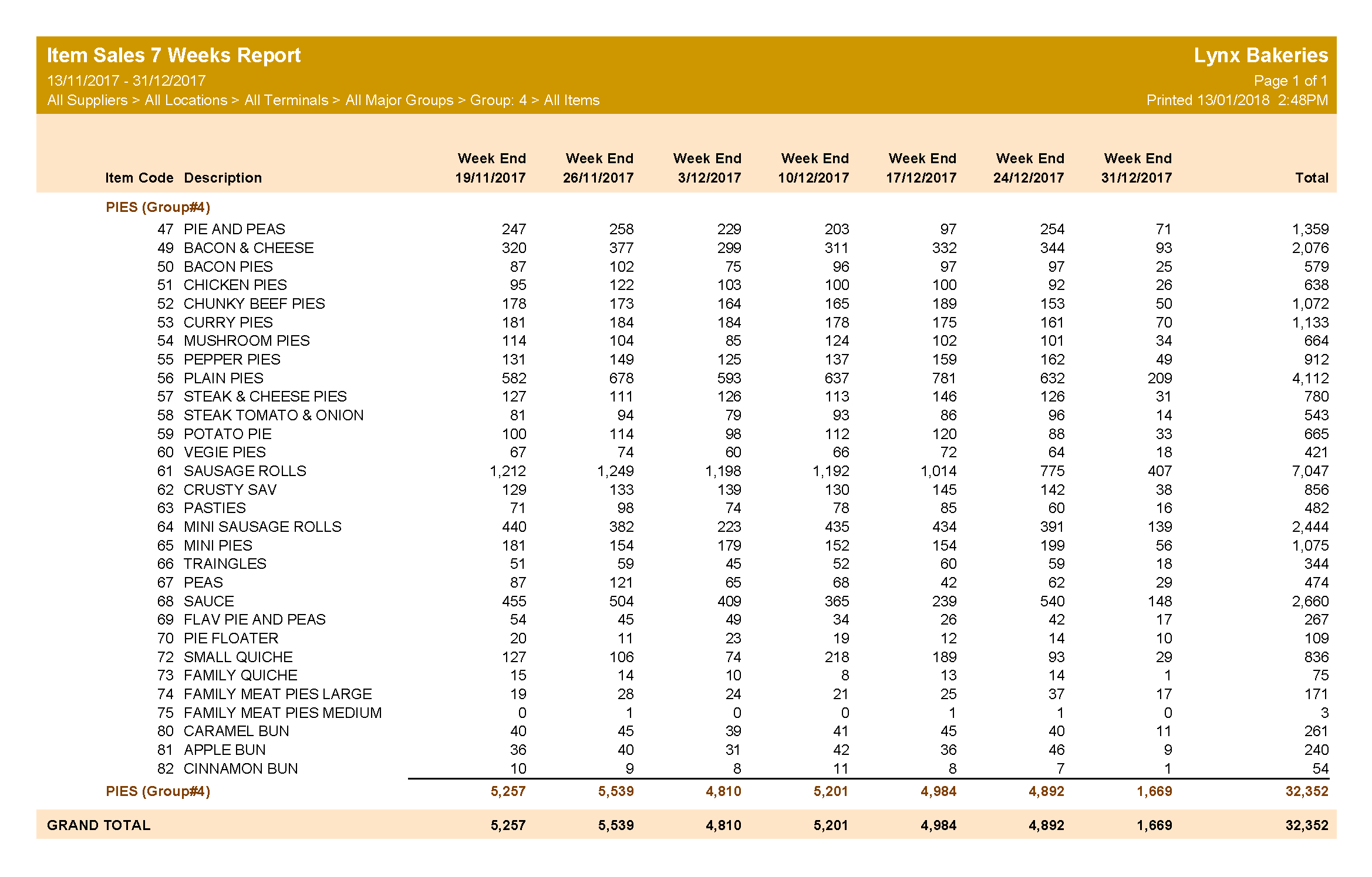

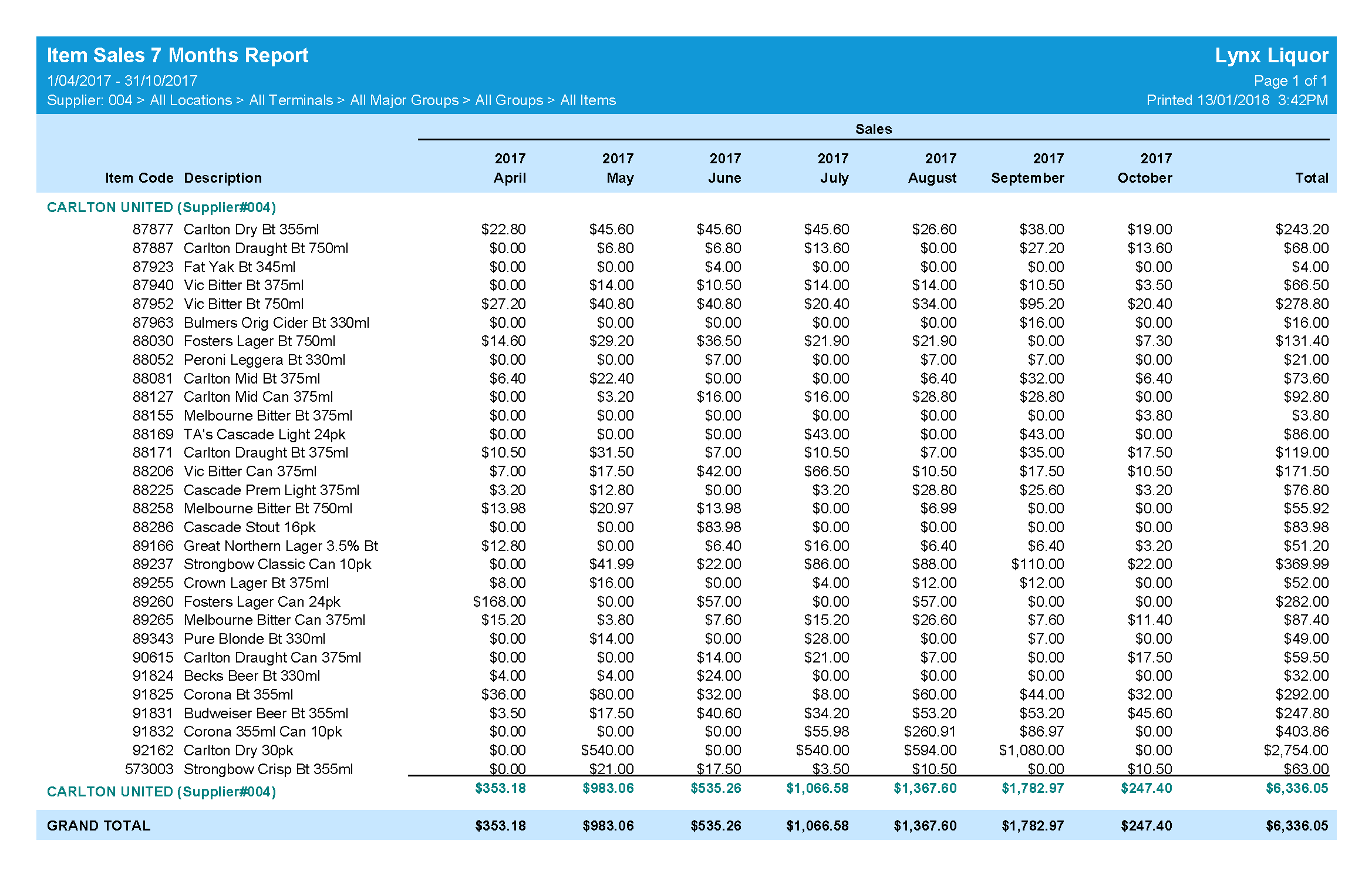
As seen in the reports above Version 9 will also include a new Report Colour Scheme setting with three different colour options and one grayscale option.
Contact your Uniwell Lynx Reseller for more information about Version 9 or submit an enquiry via our Contact Us page.
The data entry screens for Items, Clerks and POS Terminals have been redesigned in Version 9.
Removal of support for old Uniwell POS terminal models has made it possible to simplify the Item data entry screen considerably …

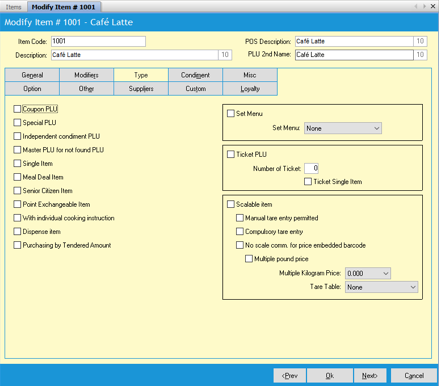
The Clerk and POS Terminal data entry screens have also been redesigned.


In this post we will consider some of the improvements to Screen Layout programming that will be included in Version 9.
Version 9 will include support for programming Button Layout 2 and other settings for the Transaction Area of the display.

Version 9 will also include support for Adding or Modifying Items while editing Screen Layouts and an option to Update Clerk Captions.
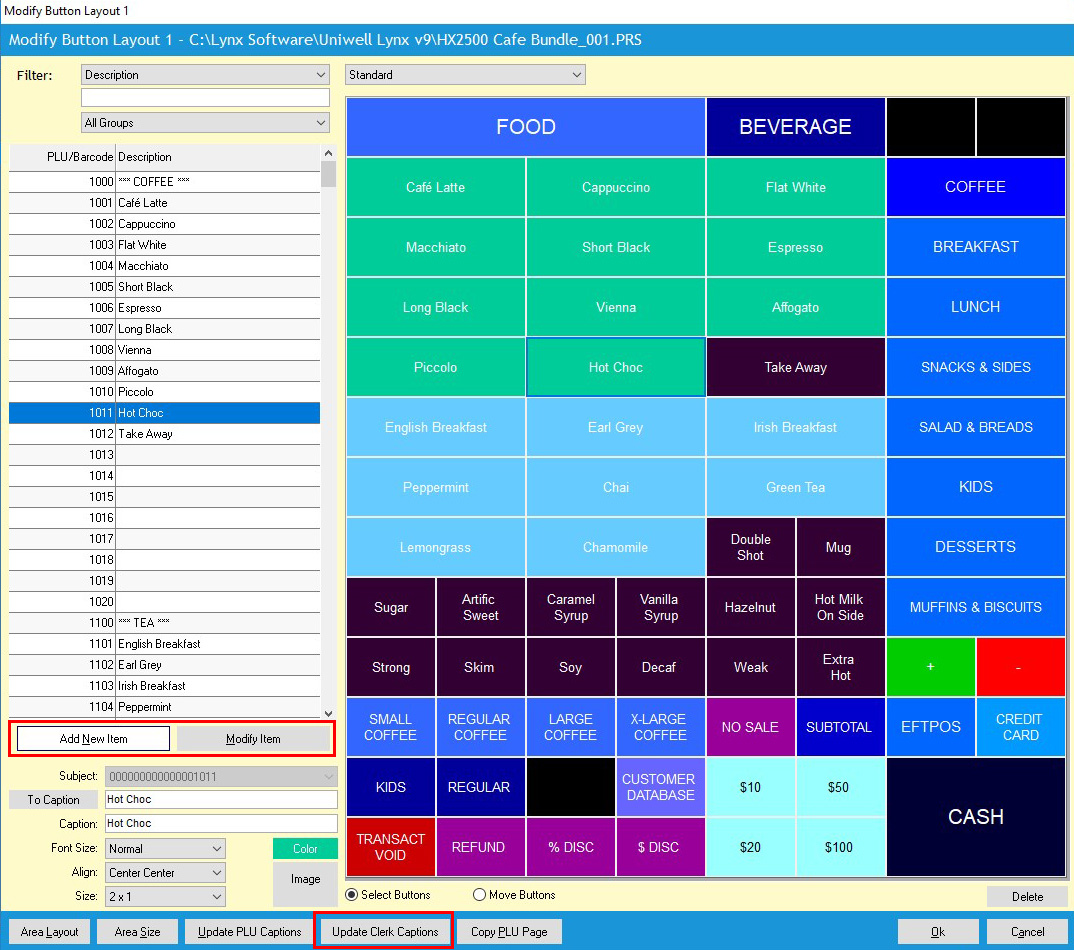
Two new options have been added to Preferences that can be used to Update PLU Button and/or Clerk Button captions automatically. If you enable these options then whenever you edit an item description or a clerk name the buttons in your screen layouts will be updated automatically.

Welcome to the first in a series of posts that will provide a preview of some of the new features that will be included in Version 9.
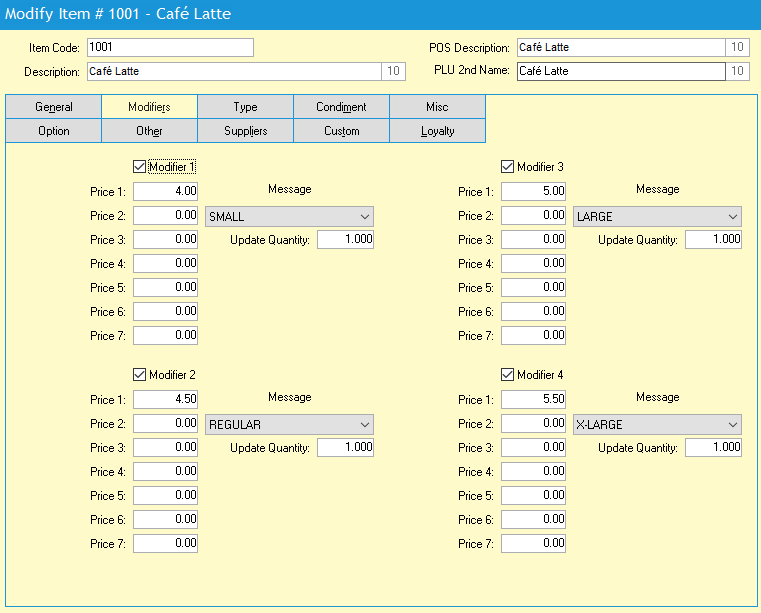
The Modifiers feature of Uniwell AX/HX POS Terminals provides an elegant way to handle product variations. For example, a café may use modifiers to allow for small, regular, large and extra-large drinks – giving each variation a different price.
Version 9 will include support for programming the modifier messages used to identify variations of a product.

These modifier messages will also be shown in the drop-down lists when editing items making it much easier to setup modifiers for your products.
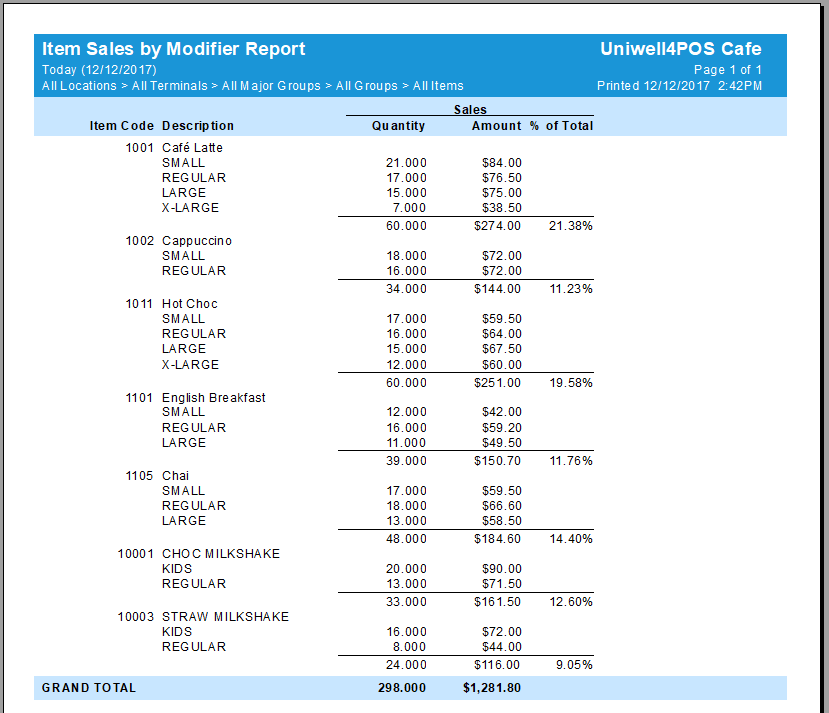
An Item Sales by Modifier Report will also be included in Version 9 so that you can analyse your sales of product variations.
 |
Uniwell Lynx Enterprise supports multi-user/concurrent access allowing multiple users to login to the same database at the same time. Click on the link below for more information. Uniwell Lynx Enterprise Concurrent Access Contact your Uniwell Lynx Reseller to enquire about upgrading from Uniwell Lynx Standard to Uniwell Lynx Enterprise |
 Lynx Software