New Feature
- Custom List Texts included in CSV files produced by Export Items for Label Printing

Uniwell Lynx v14 is now available! Click here to find out about its new and improved features.
Existing customers can contact their Uniwell Lynx Reseller or Support Provider for more information/upgrade pricing or they can fill out the enquiry form on our Upgrades and Subscriptions page.
New customers interested in purchasing Uniwell Lynx can visit our Buy page.
One of the new features in Uniwell Lynx v14 is the option to hide reports that are not required. A tutorial has been posted on our support website to help you use this feature.
Check out some more of the new features that will be available in Uniwell Lynx v14. Click on the images below for a closer look!
Sell Price 1 shown in PLU selection grid when editing Screen Layouts

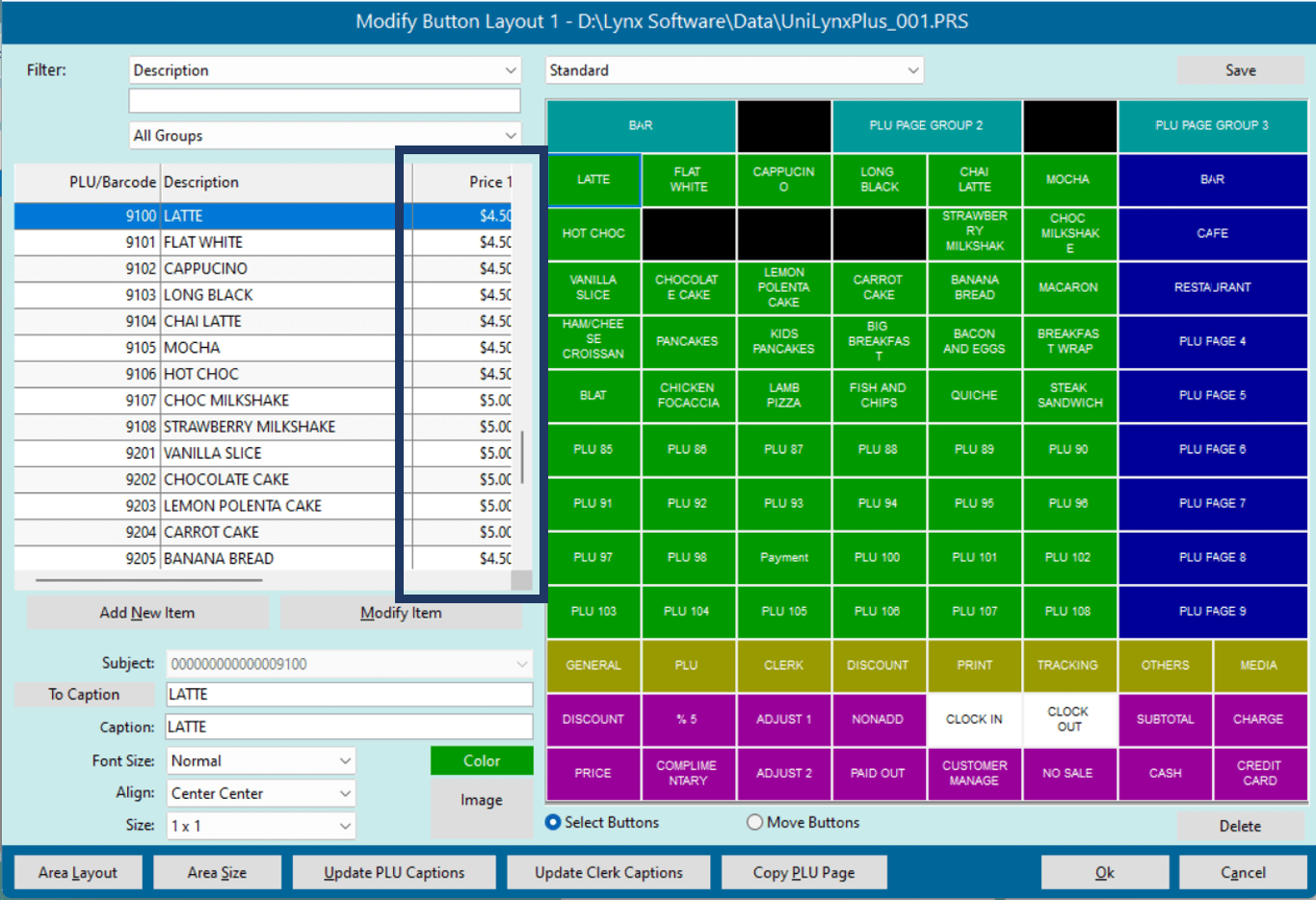
Table Numbers
Table numbers can be extracted from Journal Data during Collect Sales and included in Journal Receipts grid

Uniwell Lynx v14 will be available on March 14, 2023
Only 4 days to go until Uniwell Lynx v14 is released! Here is a preview of the new reports and report options that will be available.
New Reports
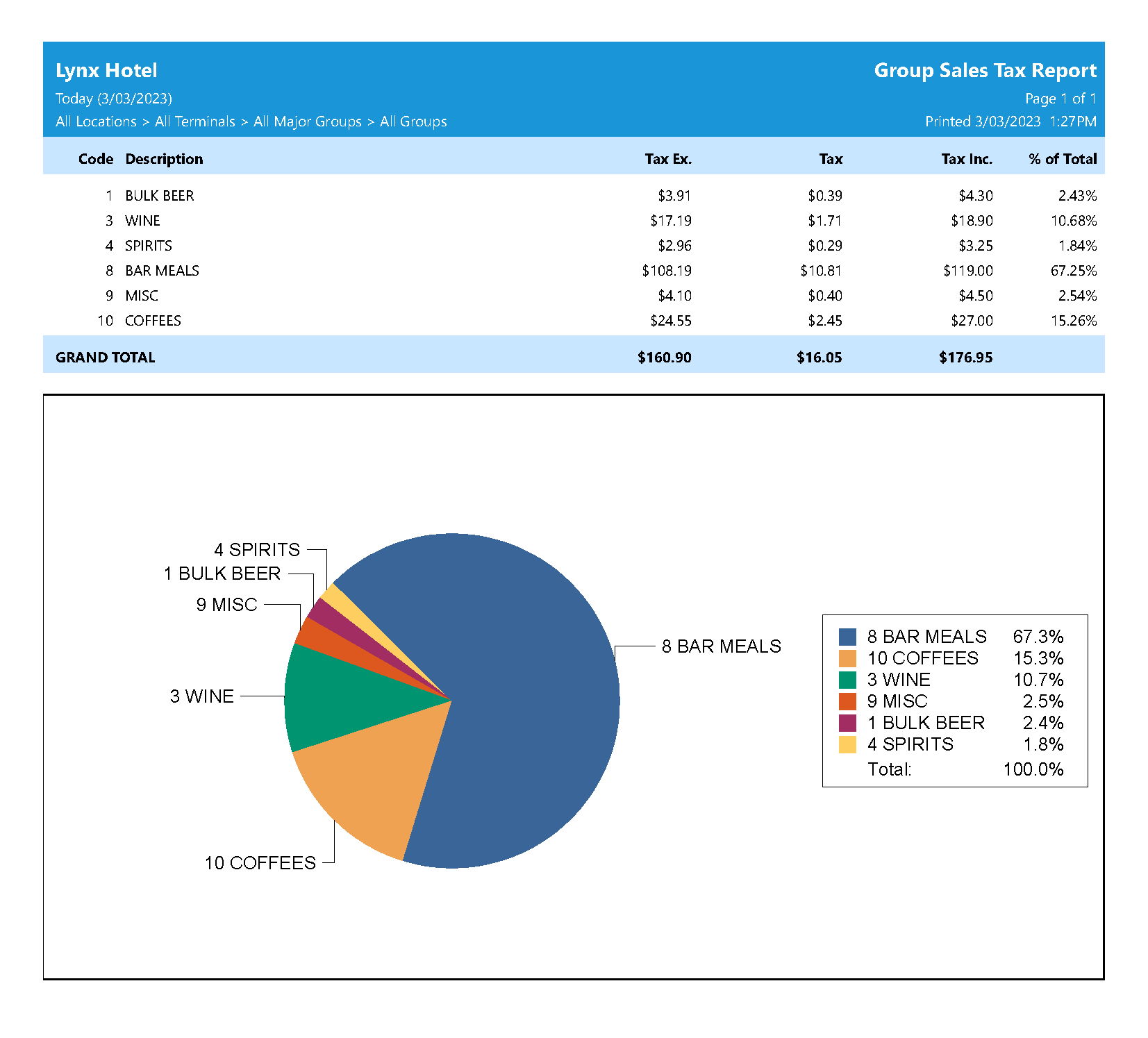
Uniwell Lynx v14 will include two new reports – a Major Group Sales Tax report and a Group Sales Tax report. Both reports show tax exclusive amount, tax amount and tax inclusive amount, with an optional chart.
Click on the images below for a closer look!

New Report Options
Uniwell Lynx v14 will include even more options to filter and customise your reports.
Option to hide reports that are not required: This will make it possible to have a simplified list of reports tailored to your analytical needs.
‘All texts’ option added to Journal Text Filter: An extension to the existing Journal Text Filter for the Electronic Journal Report, the ‘All texts’ option allows for filtering the report to only show transactions that contain all the entered texts.
‘Sort PLUs’ filter added to some Item Sales reports: A new option to filter some Item Sales reports by Sort PLUs.
Uniwell Lynx v14 will be released on March 14, 2023
Uniwell Lynx version 14 will be released on March 14, 2023

