New Support Tutorials

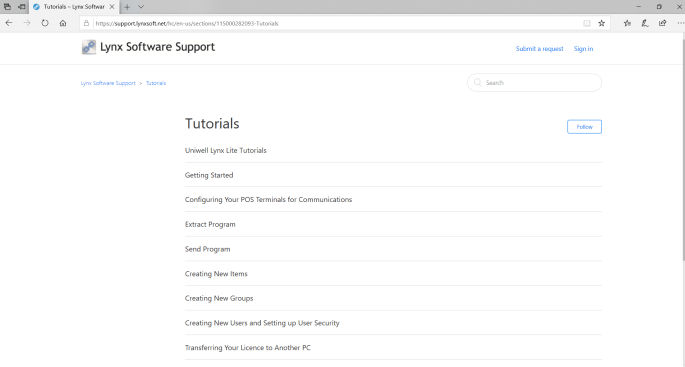
Along with the release of Uniwell Lynx v10 this week, brand new tutorials are now accessible on our support website. They are designed to assist customers in using their software and getting the most out of it. More tutorials will gradually be added.

  • Easy to understand
  • Completely free
  • Step-by-step instructions
  • Hyperlinks to related tutorials

Visit support.lynxsoft.net to check them out
Lynx Software Support

Lynx Software Tutorials

Uniwell Lynx v10.00.0042

New Firmware Support

  • HX-4500/4000/2500/1500-03 v4.40

New Programming Options

  • Upsell Messages
  • Price Level Times
  • Menu Level Times
  • Timed Links

New Sales Reports

  • Transaction by Period Report with 7 Days/7 Weeks/7 Days of Week/7 Months options
  • Group Sales Comparison Report
  • Item Sales Comparison Report

New Report Options

  • Journal Text Filter added to Electronic Journal Report
  • Journal Text Highlight Colours added to Electronic Journal Report
  • ‘Exclude item from sales reports’ option added to Items
  • Location filter added to Dashboard Report
  • Profit Amount and Margin % added to Customer Item Sales Report

New Listings

  • Item KP File Listing
  • Cooking Instruction Groups
  • Meal Deals Listing
  • Bucket Groups Listing
  • Set Menus Listing
  • Screen Layout Buttons Listing

Journal Receipts

  • Journal Text Filter

Scheduled Jobs

  • Extract POS Backup Files option added
  • Scheduled Job description included in Communications Log

Communications

  • Test button added to POS Terminals grid
  • Send GCD images option added to Send Program
  • ‘Read sales from REPORT_BACKUP’ option
  • POS Backup Files options added to Extract Program

POS Terminals

  • ‘Button images folder’ and ‘GCD images folder’ settings added
  • Branch and POS Number columns added to data grid

Items

  • Condiment Group/Set Menu/Link PLU dropdown lists based on first PLU Program relevant to item
  • Default Max Price set to 0

Promotional Pricing

  • Option to Add Multiple Items to a Promotion

Customers

  • Price Level descriptions shown in grid and dropdown lists if default price level mapping used for all POS terminals

Clerks

  • Training and System columns added to data grid

Stocktake

  • Option to show All Items, Active Items or Inactive Items

Email Alerts

  • ‘Automatically send an email alert whenever a scheduled job fails’ option added to Setup > Preferences > Other

Import/Export Data

  • Clerks

Export Items for Label Printing

  • Tax field added to export (Tax description and tax rate %)

Export Sales Data

  • Group Sales
  • Item Sales

Other

  • Start of financial year setting added to Setup > Preferences > Options
  • Date/Time editor added to Log On/Log Off columns of Edit Attendance Times grid
  • Optional Notes Panel beside some data grids

Uniwell Lynx v9.08.0017

New Features

  • Data Drive and Free Space displayed in Shortcut Bar
  • Data Conversion not permitted if insufficient free space available
  • Optimise Data File not permitted if insufficient free space available
  • ‘Price per Unit Item’ feature supported when processing PLU sales from EJF

Uniwell Lynx v9.08.0005

New Features

  • CAS Link Add-On updated to include more fields
  • PostgreSQL server updated to v10.5-1 in Enterprise version
  • Inactive, StockLevel, TareTable and new CAS Link fields added to Export Items
  • Inactive, TareTable and new CAS Link fields added to Import Items
  • Option to Purge Data before Data Conversion