Condiment Groups are a feature that allows a main item to have a series of related options. For example, if a customer orders bacon and eggs, you may want to provide them with options regarding how they want their eggs cooked or what sauce they would like.
Creating Condiment Groups
- Create the items you want as the options in your condiment group. See our tutorial Creating New Items for assistance
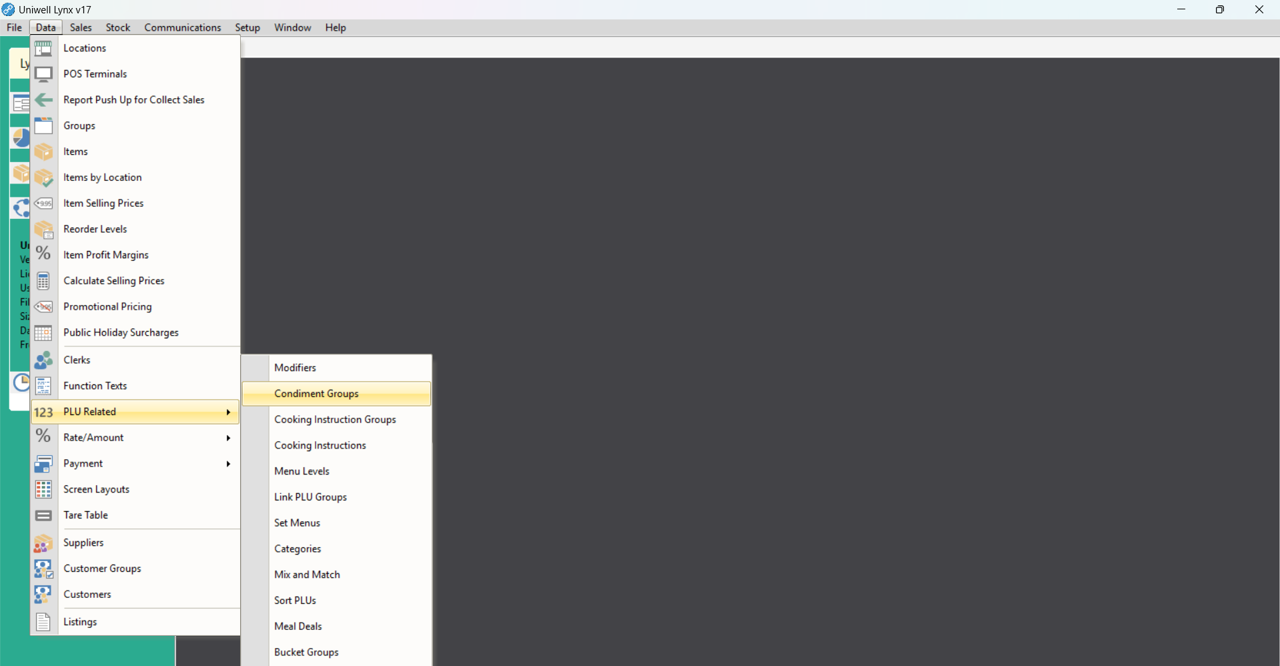
- Go to the Data menu and click on PLU Related. Then select Condiment Groups
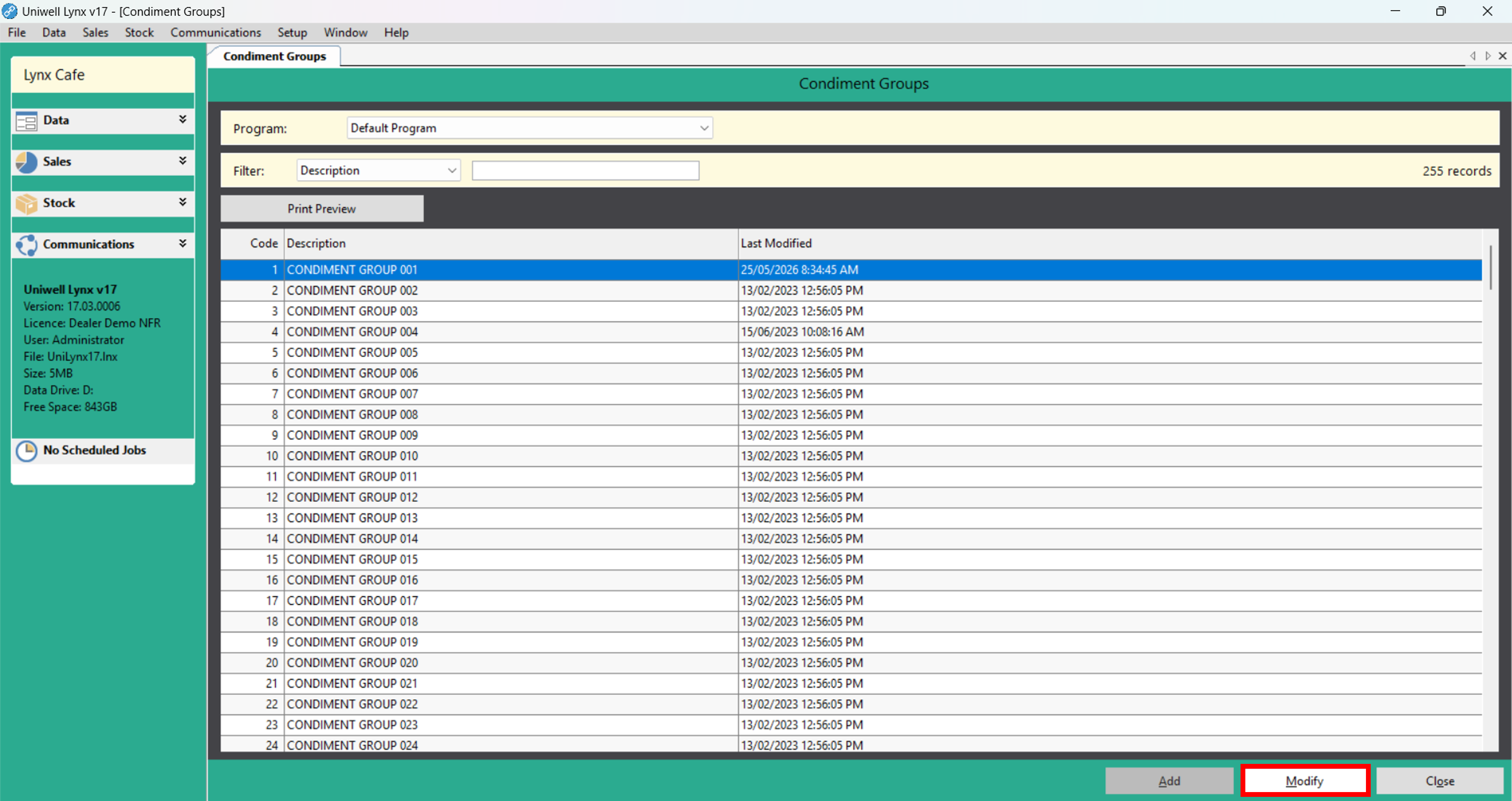
- Select an unused condiment group and click the Modify button OR click the Add button if necessary
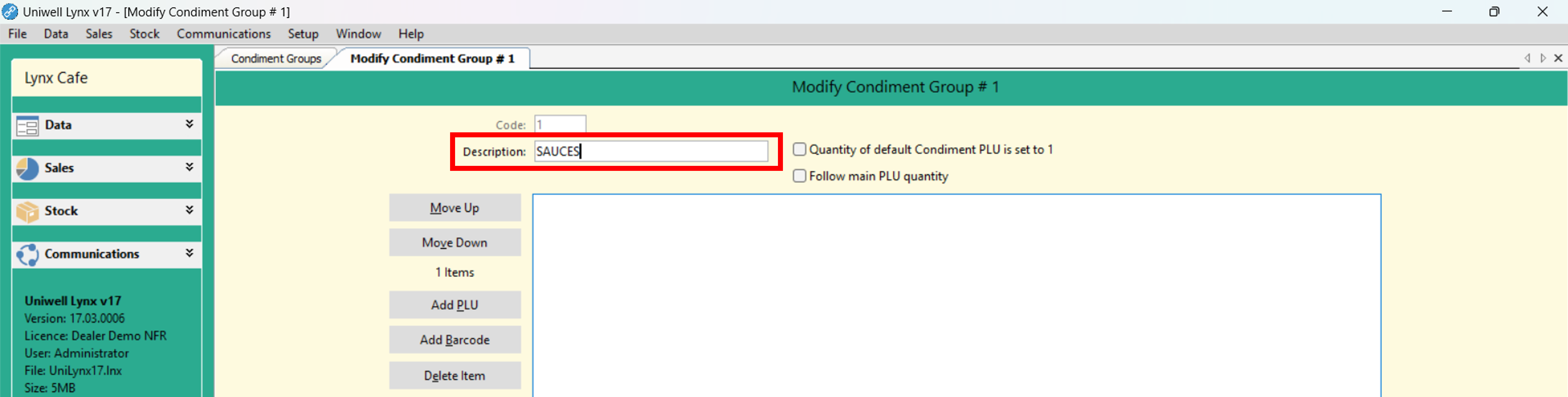
- Fill in the Description field with a name for the condiment group such as ‘Sauces’
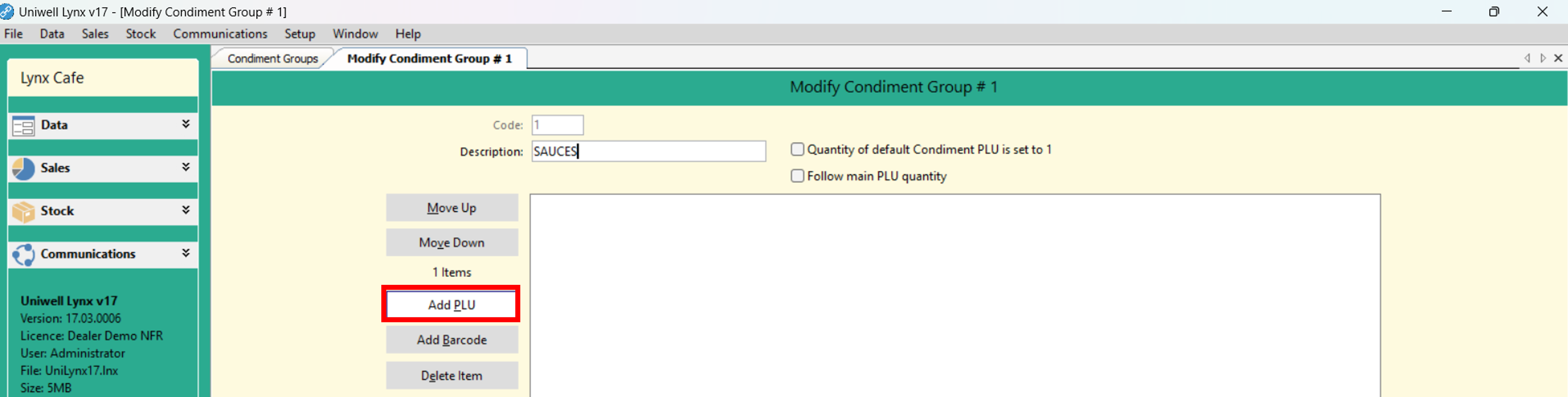
- Click the Add PLU button to add the desired items to the condiment group
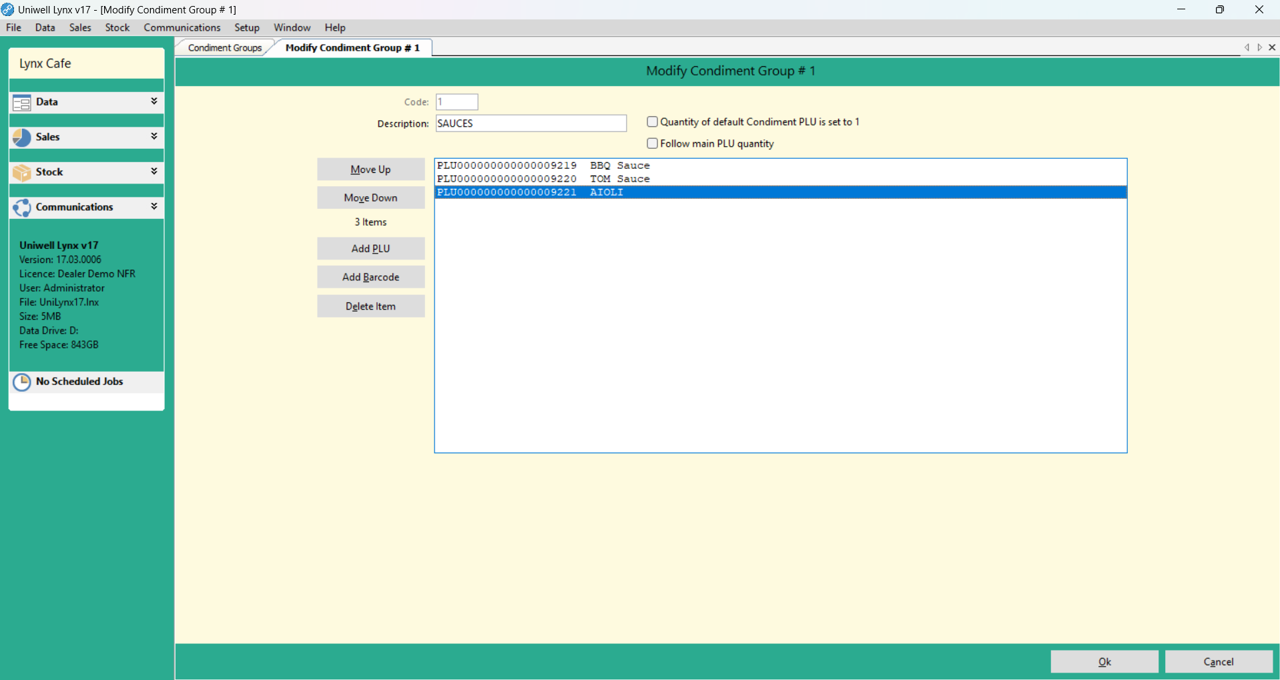
- Click the Ok button to save
Linking Condiment Groups to an Item
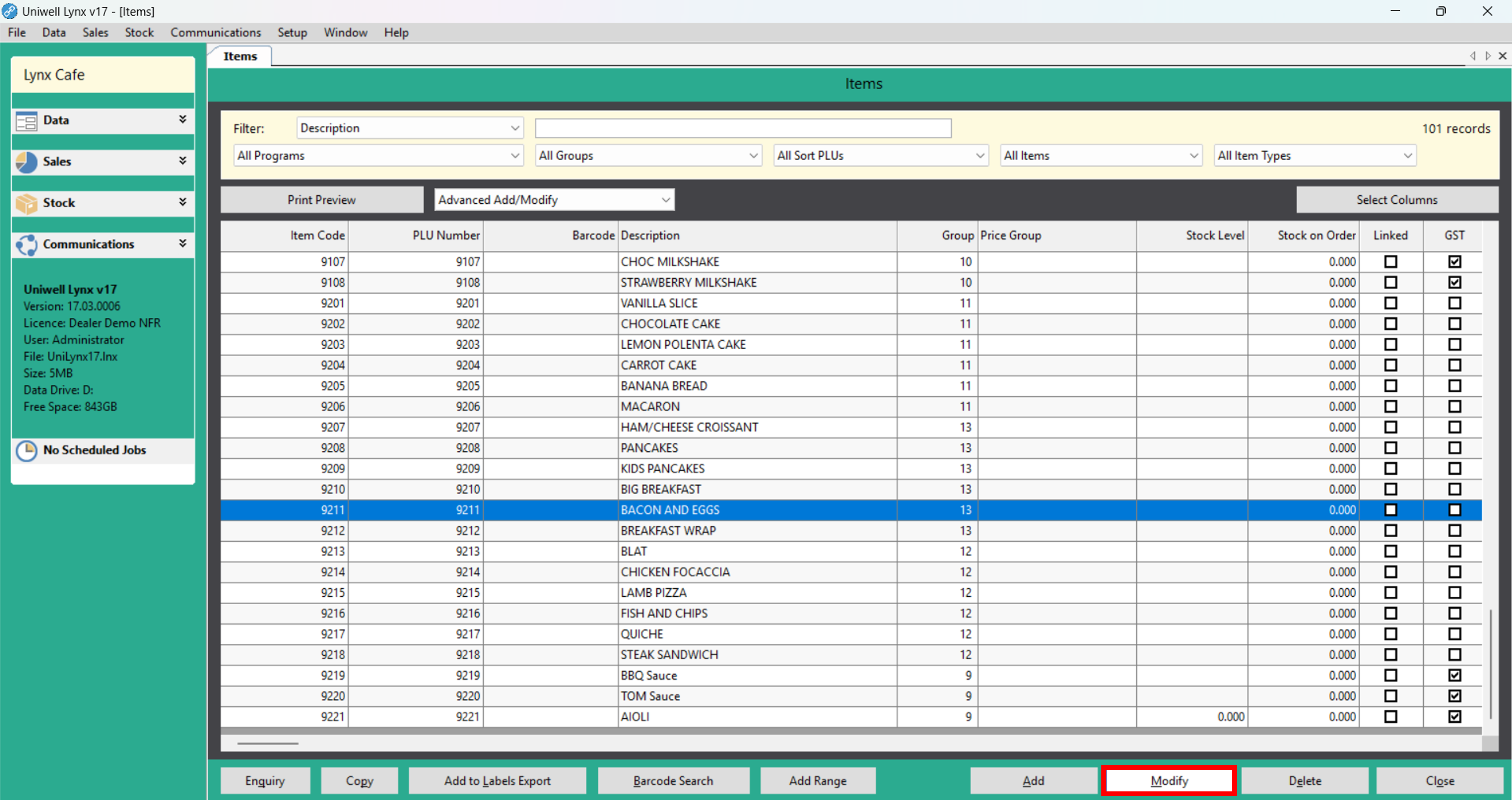
- Go to the Data menu and select Items

- From the Item grid, select the main item you want to add condiment options to and then click the Modify button
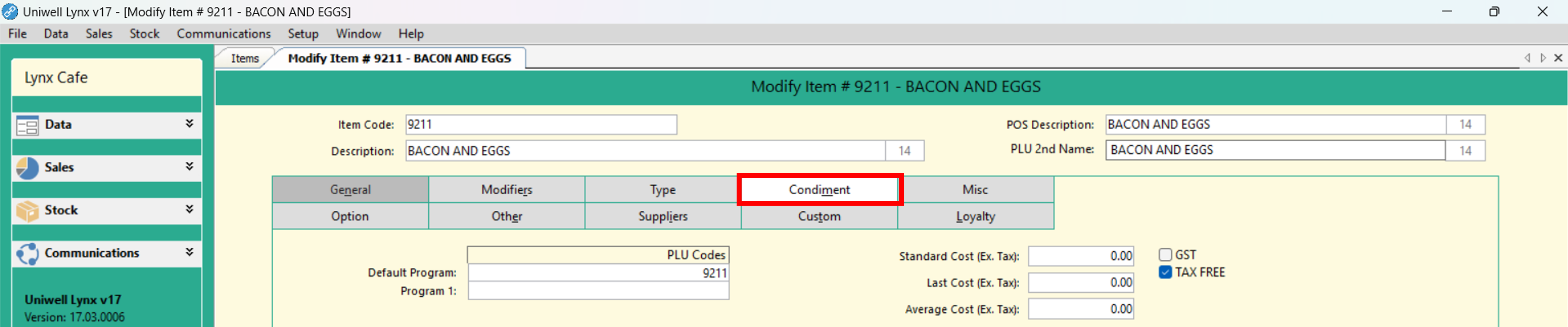
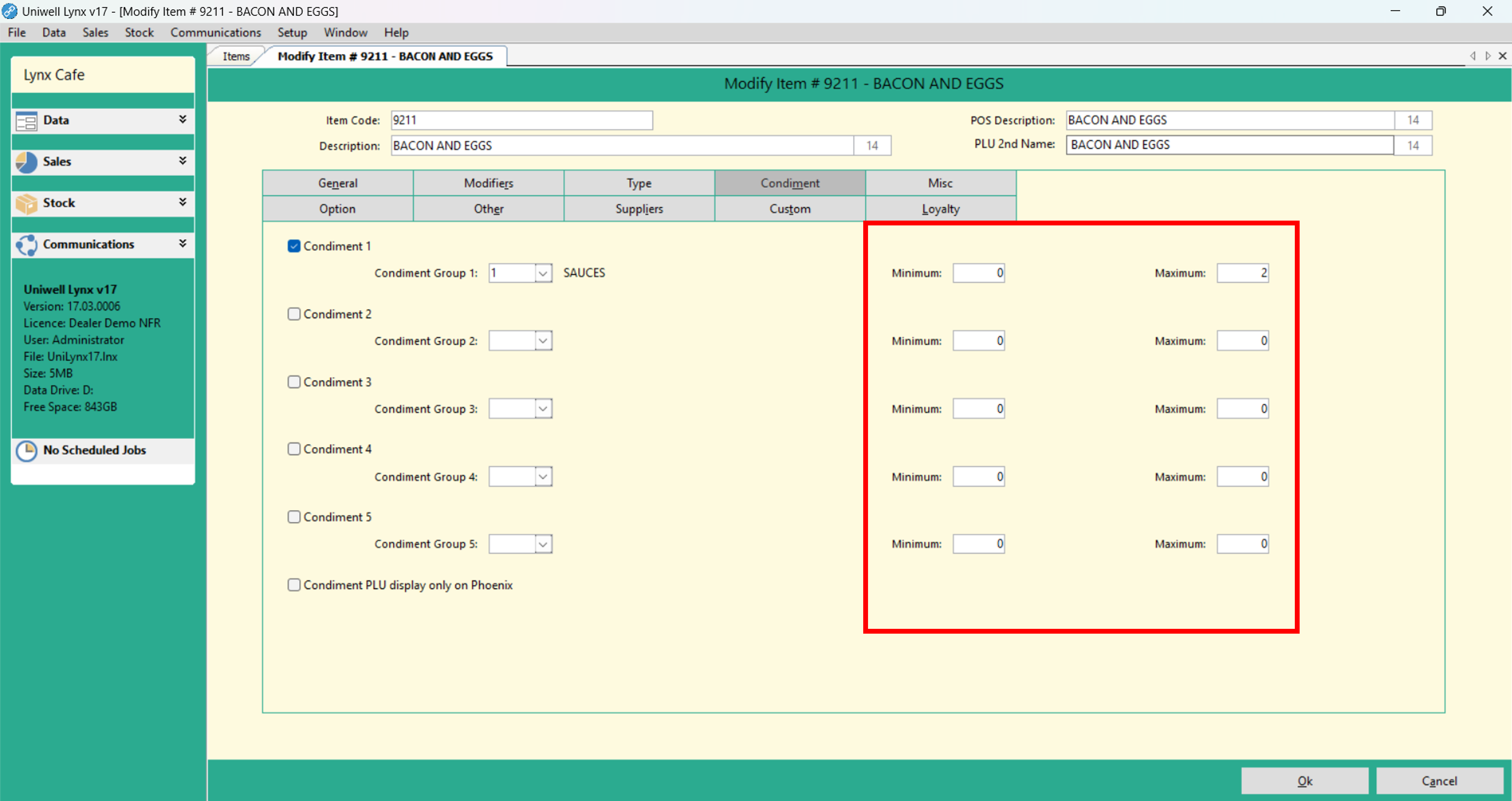
- Select the Condiment tab
- Enable and choose up to 5 condiment groups
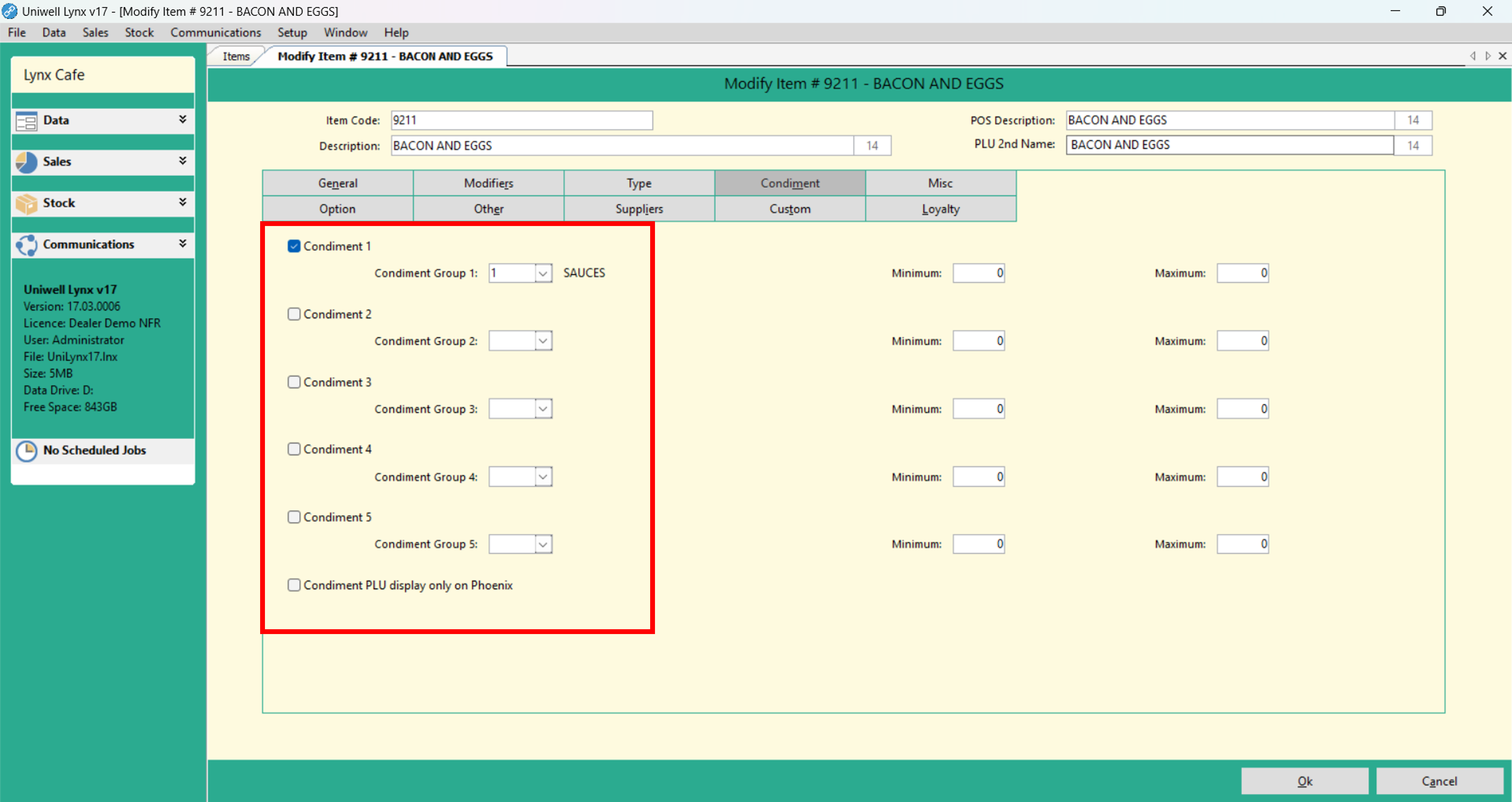
- Set any minimum or maximum condiment selection limits
- Click the Ok button to save
Send Program
Perform a Send Program with PLUs and Condiment Groups selected so that your new condiment options are accessible from your POS terminal/s. See our tutorial Send Program for assistance in doing this.

