Uniwell POS terminals can have up to 255 ‘Clerks’, which are the staff members who use and operate the terminals. Clerks can be created and edited within Uniwell Lynx.
To create a new clerk:
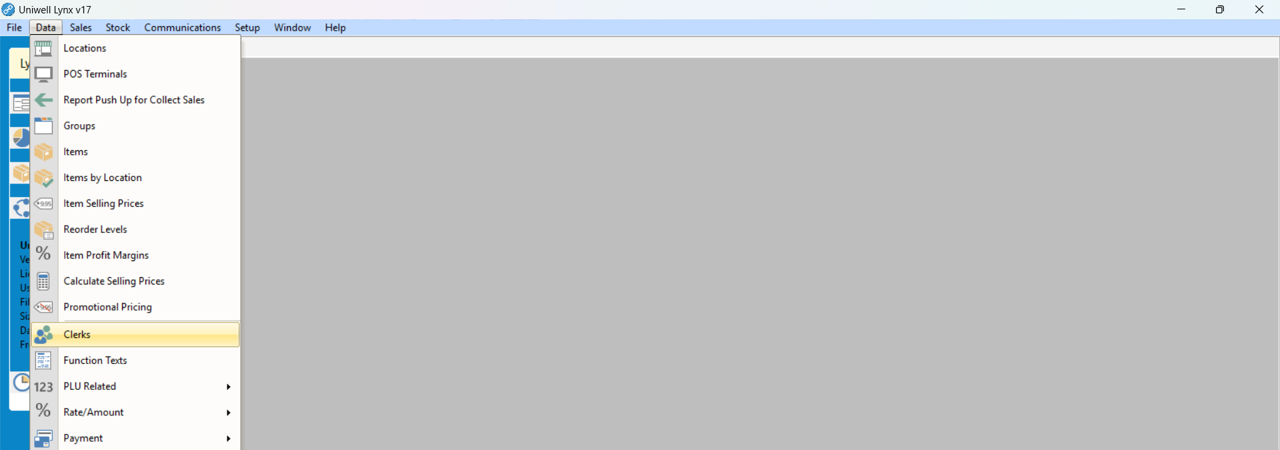
- Go to the Data menu and select Clerks
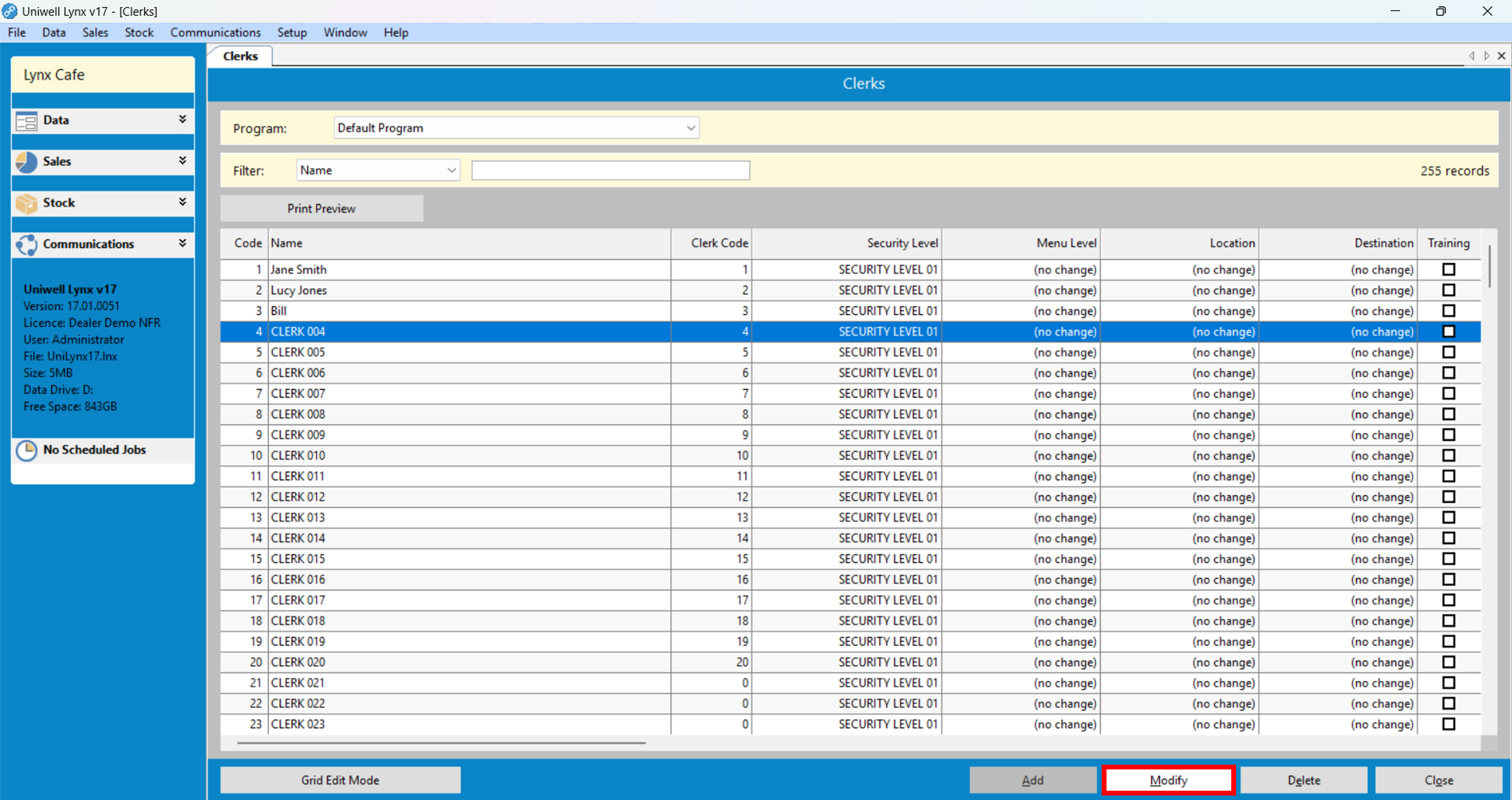
- Select an unused clerk entry and click the Modify button
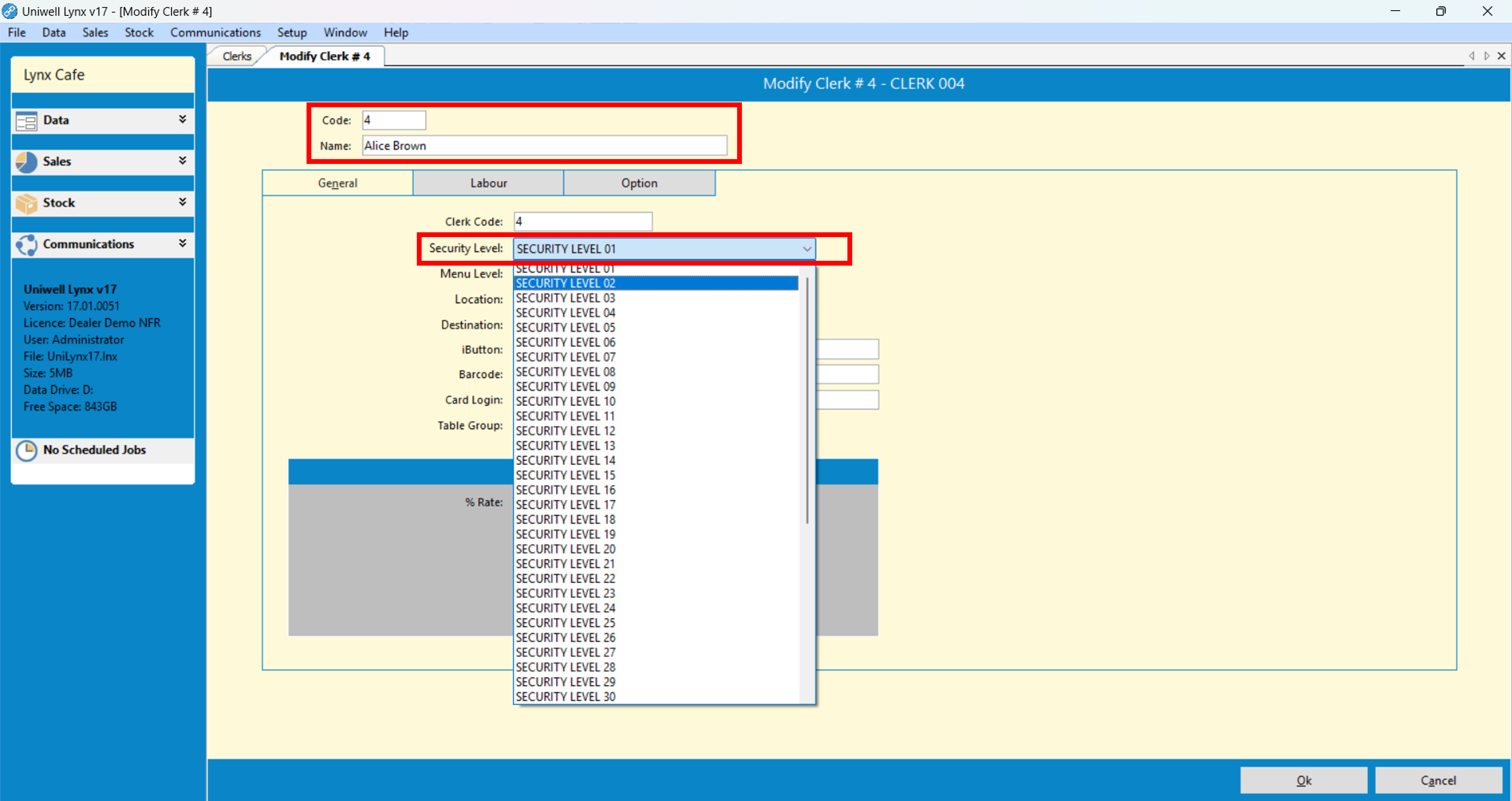
- The basic details required to add a Clerk are:
Name – enter the clerk’s name
Code – enter a numerical code for the clerk
Security Level – select a security level from the drop-down menu
Please note: Security level settings must be programmed directly at the POS terminal. Security level names can be extracted to Uniwell Lynx and will populate the drop-down menu making it easier to choose the required security level.
- Click the Ok button to save
Uniwell Lynx has the capability to maintain multiple sets of clerks (called Clerk Programs) each assigned to specific POS terminals. Please speak to your Lynx Software support provider if you wish to set this up.

